Latency Do not guess your ping, measure it Our servers are in the Istanbul location. The value here is not taken from a table; it is measured from your own connection right now.
WB-IST-1 Live Connectionmeasuring

Why an expert advisor needs a terminal that never closes

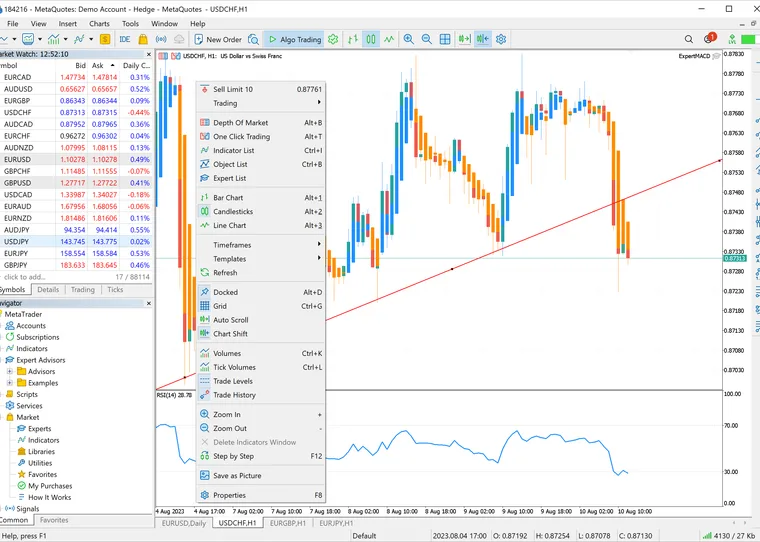
An expert advisor is a program that runs inside the terminal. Its code fires from OnTick on every new quote and from OnTimer on the timer you set. Close the terminal, let the machine sleep or lose the connection and those events stop arriving. The moment they stop is the moment the code managing your trailing stops and waiting for signals stops with them.

Second comes capacity planning. MetaQuotes publishes no fixed hardware spec; its own documentation says hardware requirements depend on how the platform is used. The one official anchor available is that MetaQuotes’ own hosting allocates up to 3 GB of RAM and up to 16 GB of disk per terminal and caps a migrated setup at 32 charts and 32 EAs. The real variable is not terminal count but the load per terminal. Memory follows the number of open charts, the indicators on each and your Max bars in chart setting. Eight charts at hundreds of thousands of bars with ten indicators is a different animal from one chart running one EA. Factor in that each broker needs its own installation: one folder cannot connect to two different broker servers, so you run separate folders in portable mode.

Third is latency. The ping in the corner of the terminal shows the round trip to the server, not how long the broker takes to process the order; they are not the same number. If you want to reduce slippage and requotes, start by knowing where your broker's server sits. Tell us your broker before ordering if your strategy is millisecond-sensitive.

Setup guide VDS Setup and Optimization for MT4 and MT5
Forex terminals that stay open around the clock

Always on

The terminal stays open, OnTick keeps firing

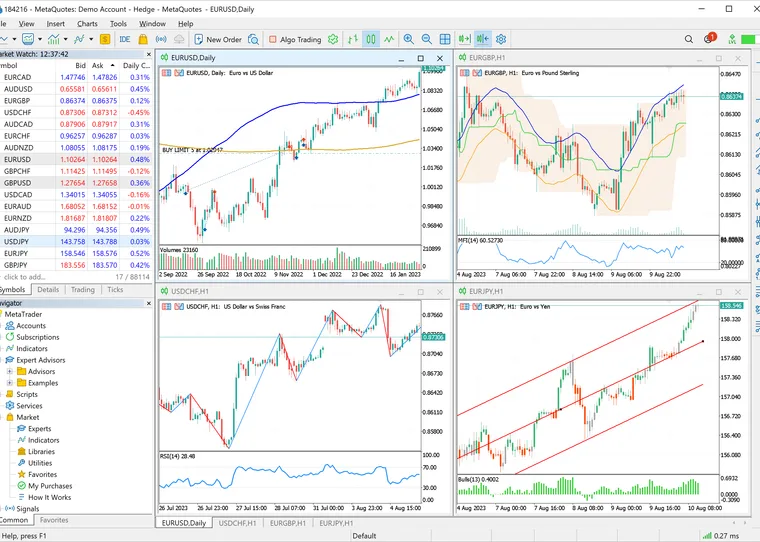
Your server runs on redundant power and network in a data centre. Home outages, power dips and reboots do not touch your EA. Connect over remote desktop, look at the charts, disconnect; the terminal keeps running. Over the weekend, with the market closed, your setup simply stays in place and is ready at the Sunday open.
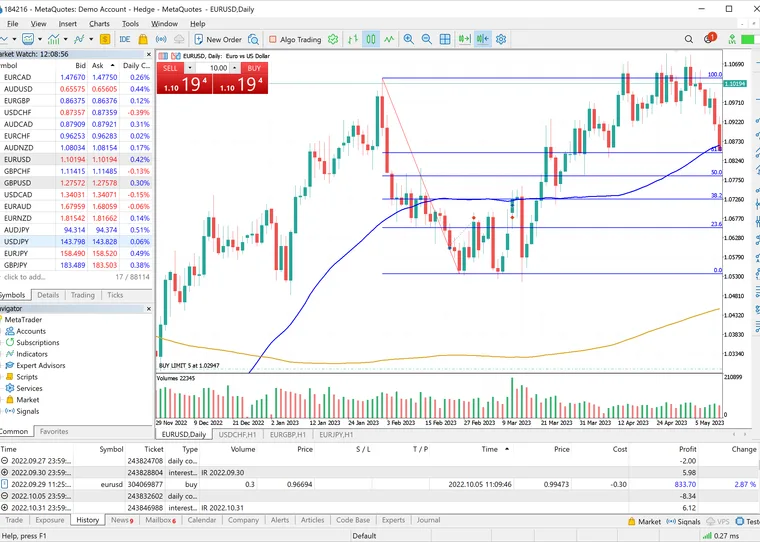
A MetaTrader terminal running on Windows Server

Windows pre-installed

A ready environment for MT4 and MT5

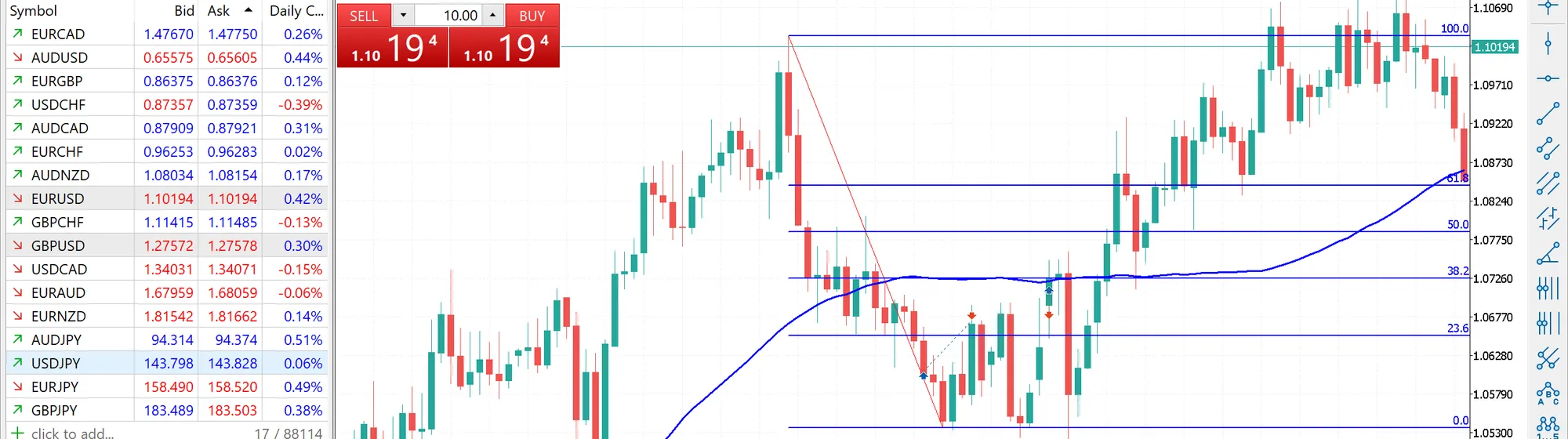
Windows Server is installed with no extra licence charge. Connect as administrator and install MetaTrader 4 or 5, your broker's own terminal build, and the EAs and indicators you bought from the MQL5 Market. Run separate portable folders for different brokers; there is no per-terminal fee.

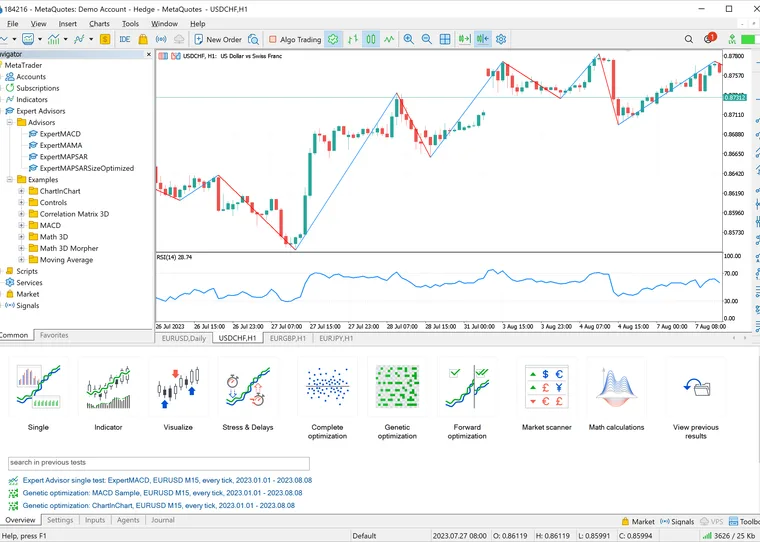
The MetaTrader Strategy Tester optimisation panel

Backtesting and optimisation

The Strategy Tester uses your cores

The MT5 Strategy Tester is multi-threaded; optimisation passes are handed to local agents, and in practice you get as many parallel passes as you have cores. Testing on real ticks is the most realistic mode and the slowest. If you optimise, choose your plan by core count rather than by memory.

Templates and trade history on your own server

Your data stays yours

Templates and trade history on your own machine

The server is entirely yours: templates, indicators, your .ex4 and .ex5 files and your trade history live on your machine, not in a shared panel. We recommend changing the remote desktop port and using a strong password. Our security guide walks through it.

Choosing a plan

Which plan for how many terminals?

The table assumes MT4/MT5 terminals on Windows Server. For chart-heavy setups with many indicators, pick one tier higher.

  • ENT-3 1-3 terminals
    Hardware
    4 vCPU · 6 GB DDR4 ECC · 60 GB NVMe
    Note
    MetaQuotes' own VPS allocates up to 3 GB of RAM and 16 GB of disk per terminal
    Monthly ₺320 Buy now
  • recommended
    ENT-4 4-8 terminals
    Hardware
    6 vCPU · 8 GB DDR4 ECC · 80 GB NVMe
    Note
    Each terminal needs its own install folder on top of the 32 GB Windows Server system disk
    Monthly ₺400 Buy now
  • ENT-5 9-15 terminals
    Hardware
    8 vCPU · 10 GB DDR4 ECC · 100 GB NVMe
    Note
    MetaQuotes ties memory to chart and indicator load rather than to terminal count
    Monthly ₺480 Buy now
  • ENT-6 Heavy optimisation
    Hardware
    10 vCPU · 12 GB DDR4 ECC · 120 GB NVMe
    Note
    The Strategy Tester matches the local agent count to the number of logical cores
    Monthly ₺640 Buy now
Price display Add or remove VAT and apply the discount rate you have in hand. This is a calculator, not coupon validation.

Every plan includes a 10 Gbps uplink, DDR4 ECC memory and NVMe SSD storage. Windows Server carries no extra licence fee.

Server options

Two options for your terminals

The Xeon Enterprise line is enough for hosting terminals. Because optimisation opens one agent per core, the table points that row at a many-core Xeon plan too; if the duration of a single pass is what matters to you, the Premium line’s clock speed makes the difference.

Common questions

Forex VDS FAQ

Move your terminals to a server

Your Windows machine is ready minutes after payment. Use code W10 for 10% off your first order.

Need Help? Get in Touch!

Our support team is here to assist you with any questions or issues you may have. Contact us via phone, email, or visit our office during business hours.

Contact Us
ENT-4₺400
Deploy now